 Vesperalba
World clock &
time zone converter.
See every city your team is in, with their work hours on your own clock — and find a time to meet in one tap. No accounts, no tracking.
Built for people who work across time zones
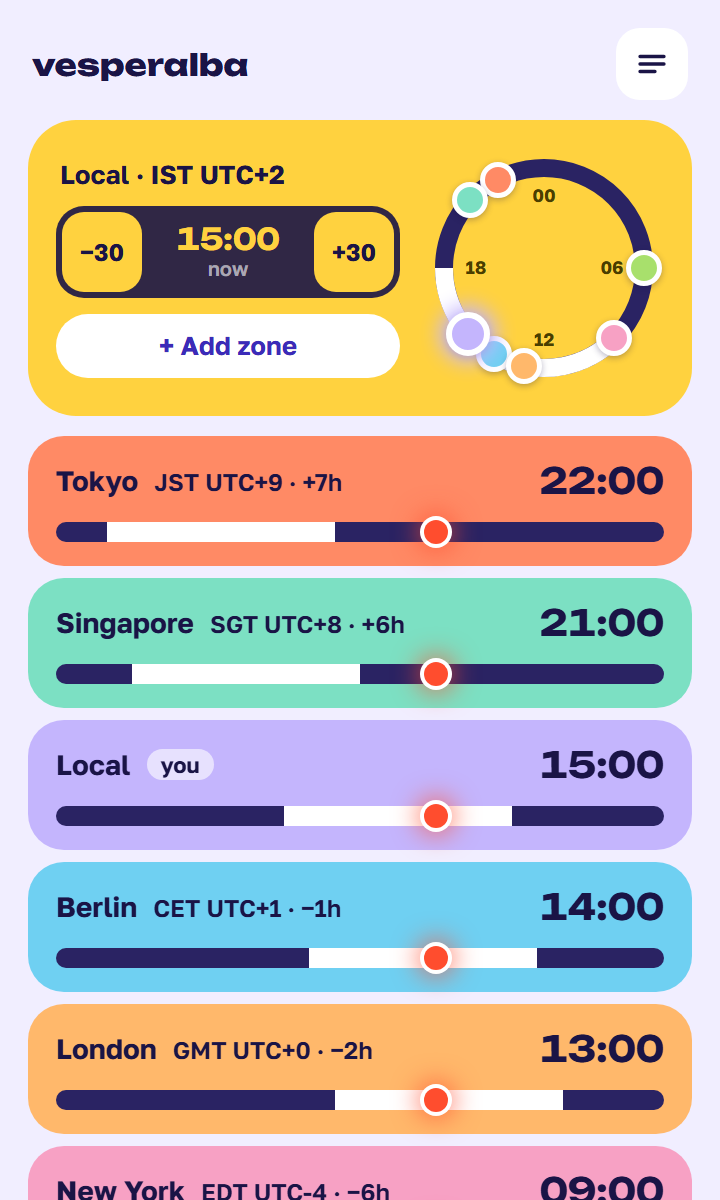
Who’s at work, at a glance
Every city you care about on one screen, sorted east to west. Under each one is a ribbon with their work hours drawn on your clock, and a 24-hour dial shows every city as a dot at its own local hour.
- White on the ribbon means they’re at work; the dot is now
- Abbreviation, UTC offset and difference from you on every card
- Hover a dot on the dial for its time and status
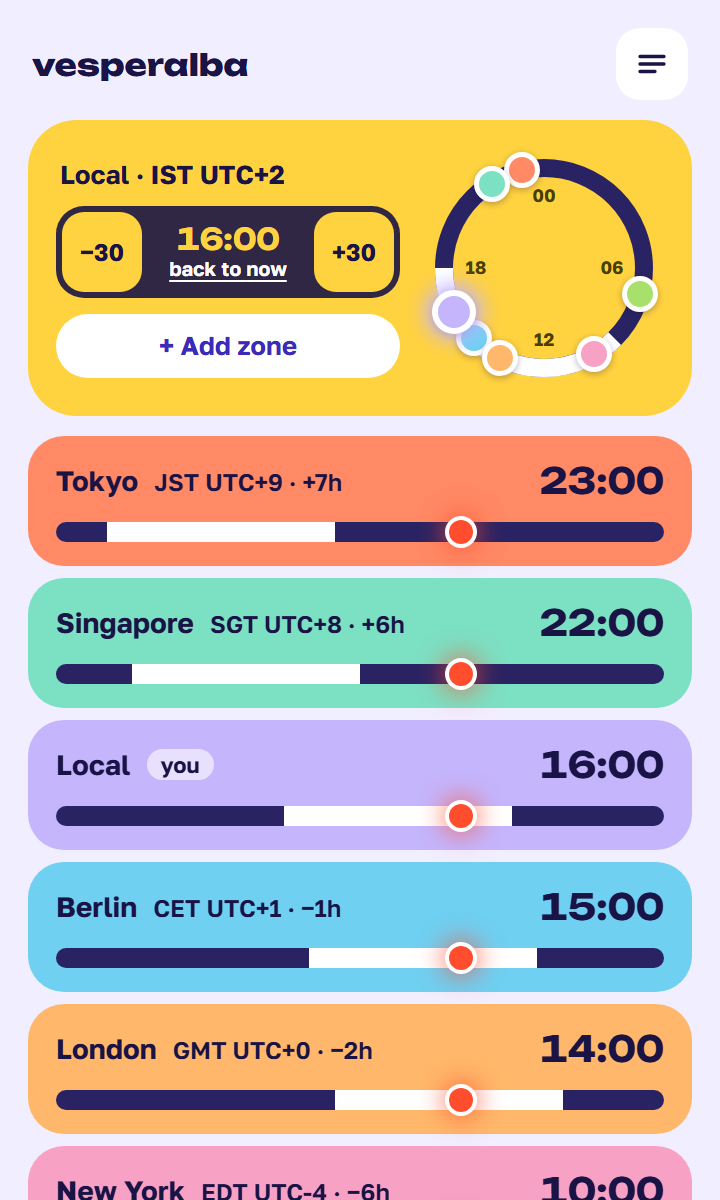
Find a meeting time across time zones
Type a time like “3pm” or “14:30”, or hold −30 / +30 to scroll through the day. Every zone converts at once — when all the ribbons are white under the dot, everyone is at work.
- Convert PST to EST, UTC to your time, or any zone to any other
- Hold to scroll; the dial and ribbons move together
- “Back to now” returns to live time
Add any zone, name it after people
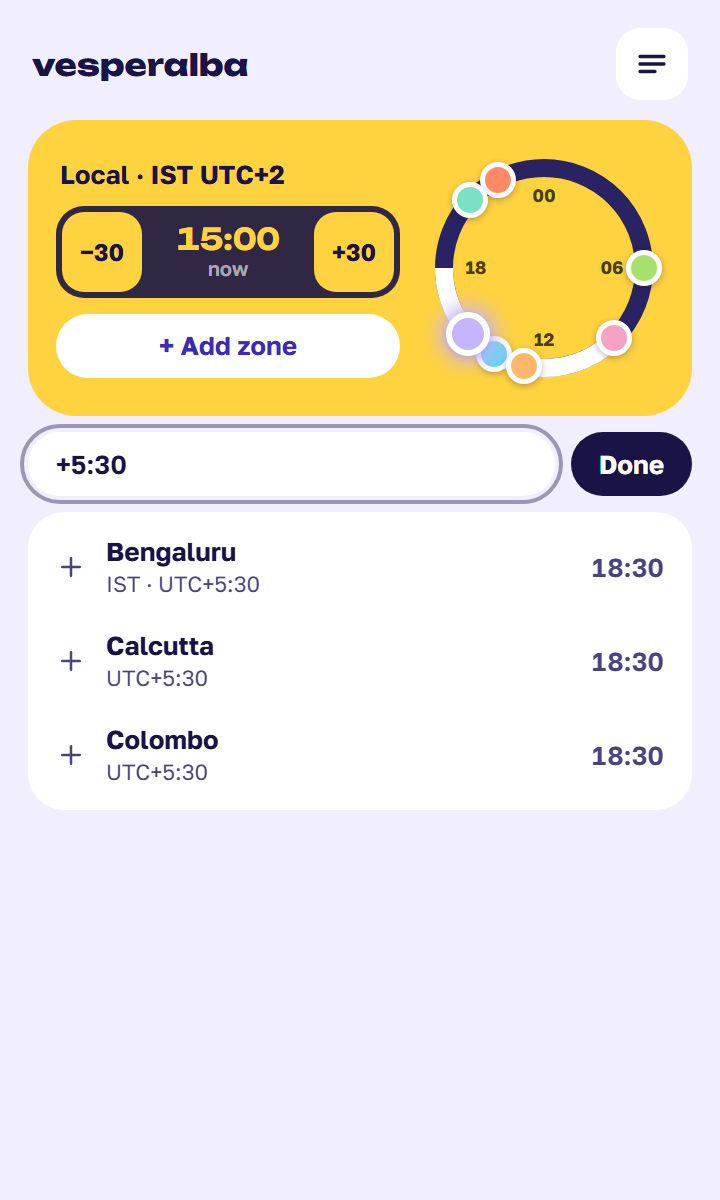
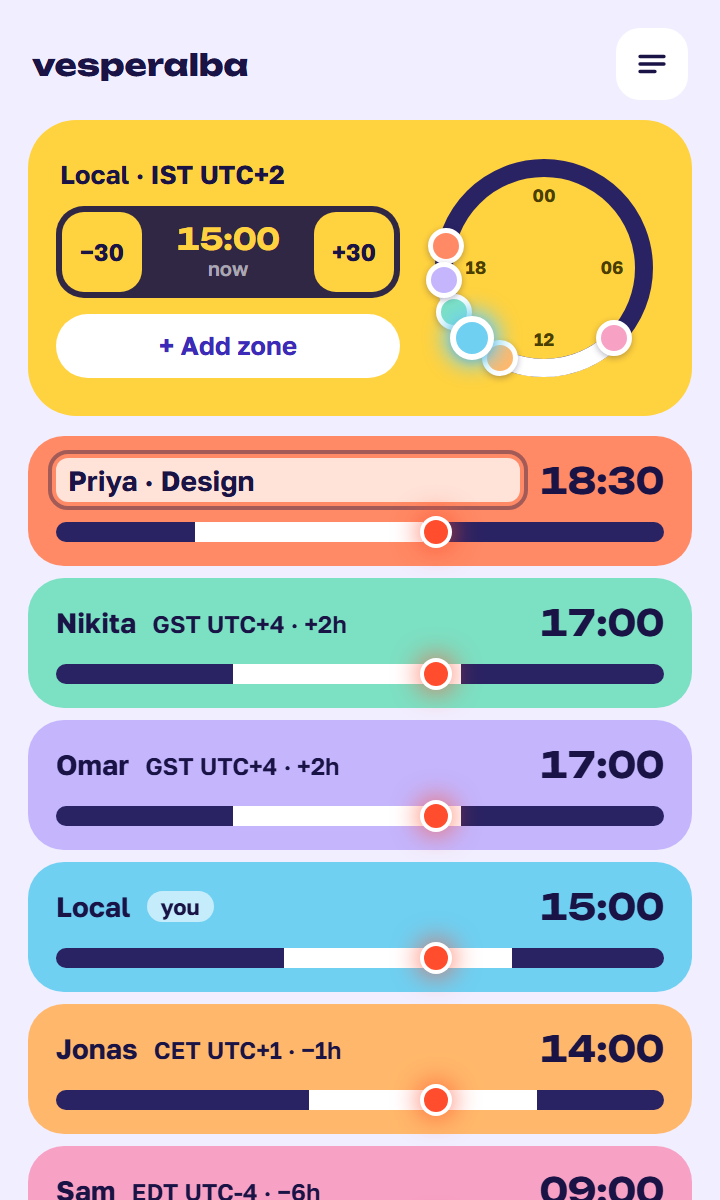
Search by city, IANA name, abbreviation or a raw UTC offset — “+5:30” finds India and Sri Lanka. Then rename cards after the people you work with, and give two teammates in the same time zone a card each.
- City, Europe/Berlin, PST, CET, IST, +4, -3, +5:30
- Rename any card: “Priya · Design”, “HQ”
- One card per zone, or any number — your choice
- Removed a card by mistake? Undo
Your hours, your look
Set your workday once and the ribbons and dial follow. Pick light, dark or follow your system. Prefer the old plain list? Classic view is one switch away in Settings.
- Custom workday start and end, in 30-minute steps
- Light, System or Dark theme
- Classic list view for people who like it simple

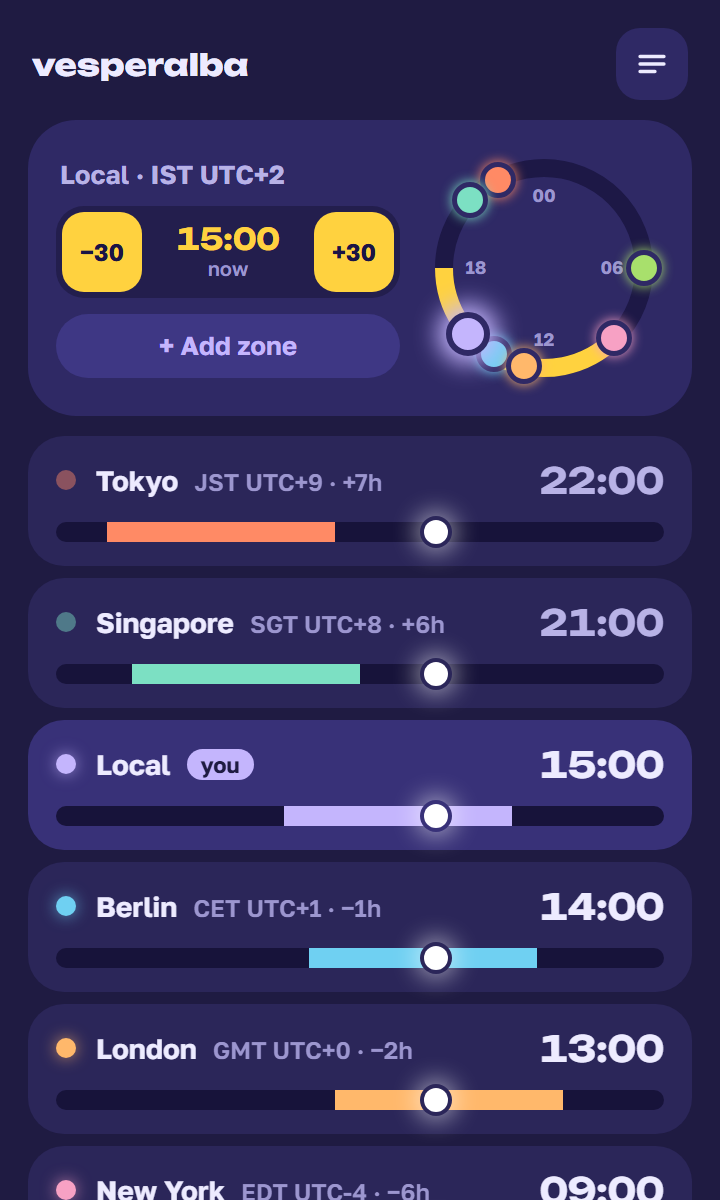
Try the converter right here
Step the time and watch every zone move together — the same one-tap conversion you get in the extension. Green means inside 09:00–18:00.
Questions people ask
What is Vesperalba?
Vesperalba is a free Chrome extension that works as a world clock, time zone converter and meeting planner. Click the toolbar icon to see the time in every city you added, sorted east to west, with each person's work hours drawn on your own clock.
How do I find a meeting time across time zones?
Type a time like “3pm” or “14:30”, or hold −30 / +30 to scroll through the day. Every zone converts at once. When every ribbon is white under the dot, everyone is inside their work hours.
Does it handle daylight saving time?
Yes. Offsets and abbreviations (EST/EDT, CET/CEST and so on) come from your browser's time zone database and switch automatically, including half-hour zones like India (UTC+5:30) and Newfoundland.
Can I search by UTC offset or abbreviation?
Yes. Search by city, IANA name (Europe/Berlin), abbreviation (PST, CET, IST) or a raw offset like +4, -3 or +5:30.
Does it work offline? Does it track me?
It works fully offline. There is no account, no analytics and no network requests: your zones are saved only in your browser's extension storage.
Is Vesperalba free?
Yes, it is free, with no ads and no paid tier.
Which browsers does it support?
Google Chrome, and any browser that can install extensions from the Chrome Web Store. Vesperalba is published only on the Chrome Web Store.
No accounts, no sign-in — your zones stay on your device. Privacy policy